Set the target
Choose exact mods, minimum tiers, values or compatible combinations.
 Exile's Foundry
PATH OF EXILE 1 & 2 · WINDOWS
Exile's Foundry is an automatic crafting tool for Path of Exile 1 and 2 on Windows 10 and 11. Pick your target mods and tiers, mark your currency slots, and start the craft. Foundry checks each roll and stops when the item meets your target or the mode reaches its limit.
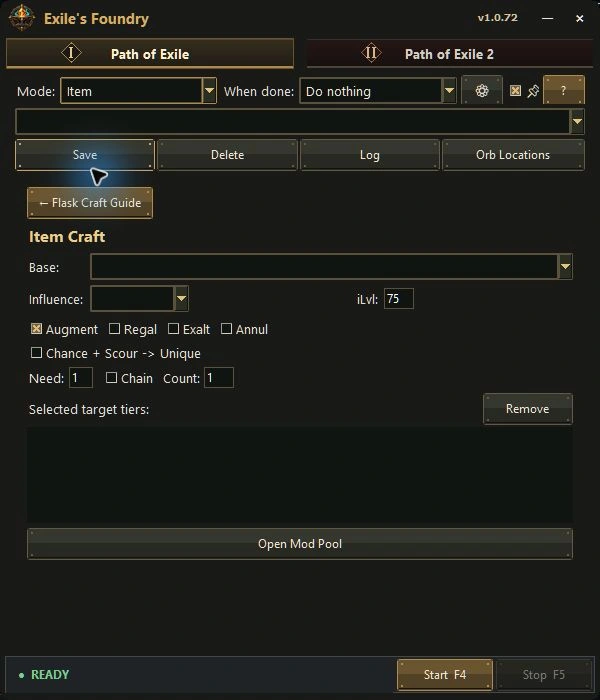
Open the tab for your game and select a craft mode. For a PoE 1 Cluster Jewel, for example, pick the jewel size and choose a template or set your own notable combinations. Foundry applies the configured currency and checks the jewel’s text against those combinations.
Follow the PoE 1 crafting setup guide to configure and test your first craft.
Choose exact mods, minimum tiers, values or compatible combinations.
Allow only the currency and crafting path intended for that setup.
Keep the game visible while Foundry repeats the configured craft.
The workflow stops when the item matches your accepted result. F5 remains the immediate manual stop.
The same target-first idea is used across different crafting screens instead of forcing every craft into one generic click loop.
Filter by base, influence, item level, affix, natural tier and accepted target count.
Use editable templates or build your own valid notable combinations.
Keep quantity and rarity above your limits while rejecting dangerous map modifiers.
Set socket, link and colour goals with explicit currency choices.
Use dedicated modifier pools and controls for these crafting screens.
Run supported repeated tasks after testing slot locations and one complete cycle.
Switch to the separate Path of Exile 2 tab for Magic, Magic + Regal, Chaos and Divine crafts. For Waystones, you can set target mods and a minimum Waystone Drop Chance. The PoE 2 tab also has a dedicated Tablet mode.
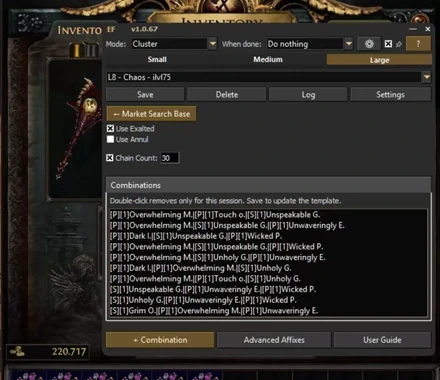
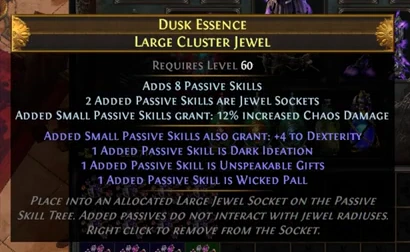
The recording starts with the L8 - Chaos - ilvl75 template selected. It accepts several notable combinations on an 8-passive Large Cluster Jewel. One of them is Dark Ideation, Unspeakable Gifts and Wicked Pall.
AUTO CRAFTER
Used with the Path of Exile game client. It repeats selected inputs and checks the resulting item text against your targets.
CRAFTING SIMULATOR
Useful for studying modifier pools, odds and theoretical costs without applying currency to a real item.
They solve different problems. A simulator helps plan the craft; an automatic crafting tool carries out a target you have already chosen.
Important: third-party automation cannot be described as risk-free. Review the game's current rules and decide whether and how to use any automated workflow on your account.
See how to choose a game, set up orb locations and find the crafting modes in both tabs.
Watch the Quick Tour with chapters
Watch a complete PoE 1 Cluster Jewel craft and see the cost breakdown →
In Exile's Foundry, it means repeating the in-game craft you set up and checking each roll against your target. You choose the item, mods and currency before starting.
Use Windows 10 or 11, sign in to Foundry with active access, and use the English game client. Select the right game tab and set the currency locations for your craft.
Yes. Press F5 to stop the current process and cancel pending clicks.
Yes. Exile's Foundry has a separate Path of Exile 2 tab on Windows 10 and 11, with its own crafting modes and currency locations. See the PoE 2 modes.
READY TO SET A TARGET?
Download the Windows application, review the current features, or choose an access period for your account.