Path of Exile 1
Item affixes, Cluster Jewel notable combinations, map modifiers, sockets and colours, Harvest crafts and Eldritch implicits.
 Exile's Foundry
PATH OF EXILE 1 & 2 · WINDOWS
Exile’s Foundry is a Windows crafting automation tool for Path of Exile 1 and 2. Choose the modifiers you want and the currency the app may use. It applies the configured currency, reads the new item text and stops when the result meets your rules or the mode’s limit is reached.
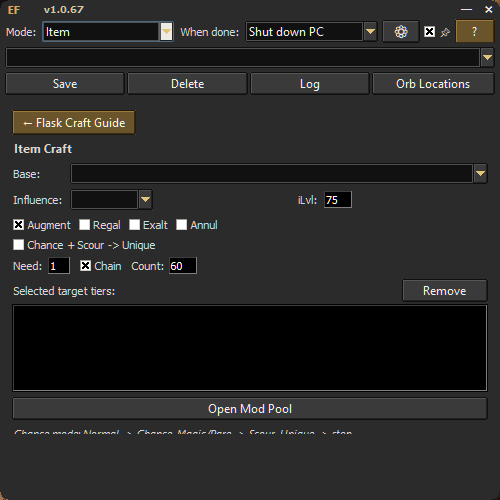
Item affixes, Cluster Jewel notable combinations, map modifiers, sockets and colours, Harvest crafts and Eldritch implicits.
The separate PoE 2 tab covers Magic, Magic + Regal, Chaos and Divine crafting, along with Waystone targets and Tablets. Its settings and currency locations are separate from PoE 1.
PoE 2 modes and screenshotsThe recorded Cluster Jewel session shows the currency spent, the combinations found and the price checks for the resulting jewels. The listed value is an estimate from those price checks. The recording does not show completed sales.
Watch the Cluster Jewel sessionThird-party automation can carry account risk. Review the game’s rules before running a craft. Grinding Gear Games terms